CHA Automation: How to Go from 4 Hours to 30 Seconds Per Shipment

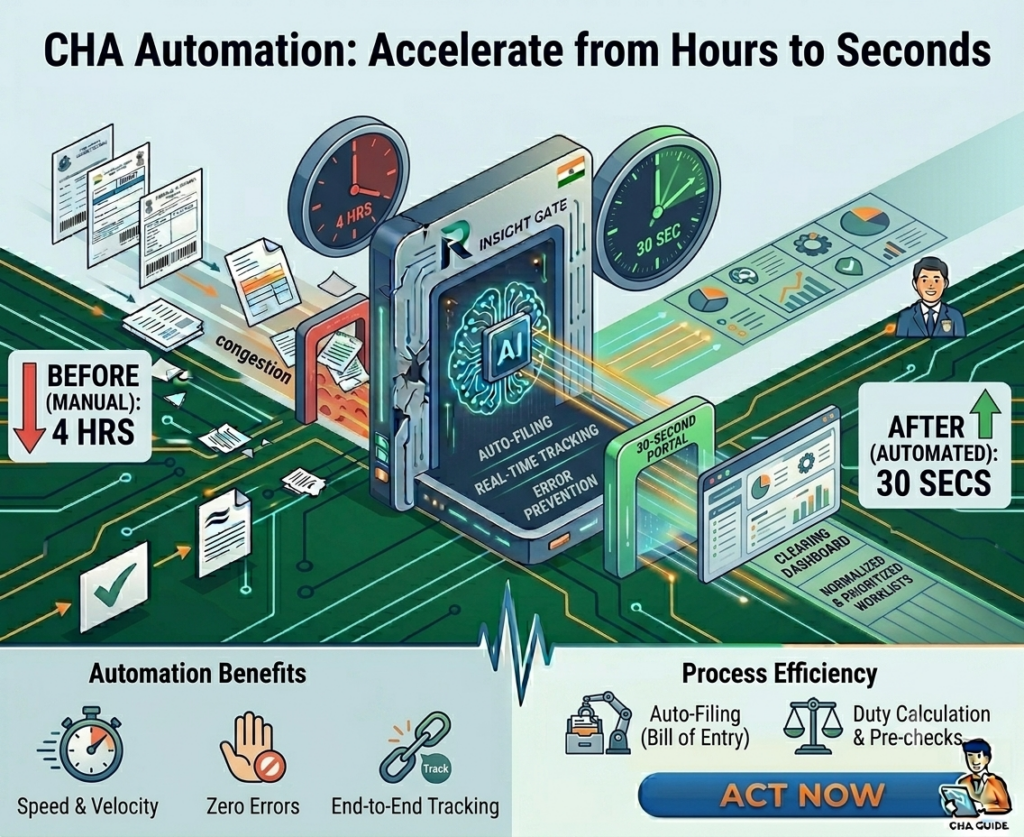
Four hours. That’s how long the average clearing house agent operation spends processing a single shipment’s documents. Reading the Bill of Lading. Typing the consignee, shipper, notify party, port of loading, port of discharge, vessel name, voyage number, container numbers, seal numbers, HS codes, weights, and package count into the customs software. Then, do the same for the commercial invoice. And the packing list. And the certificate of origin.
70 to 80 fields per shipment. Typed manually. By 8 or more staff members. Every single day.
With AI-powered CHA automation, that 4-hour process takes 30 seconds.
Not 30 seconds of extraction with an hour of cleanup. Not 30 seconds with template configuration overhead. Thirty seconds from raw PDF to validated, ICEGATE-ready structured data sitting in your customs software, ready for filing.
This post walks through exactly how that works — step by step — and why the technology behind it is fundamentally different from the OCR tools you may have tried (and abandoned) before.
The 4-Hour Reality: Where Your Time Actually Goes
Before we get into the solution, let’s be honest about the problem. Here’s where those 4 hours go for a typical import shipment:
Document collection (30-45 min): Gathering the B/L, commercial invoice, packing list, certificate of origin, and insurance certificate from the exporter, shipping line, and freight agent. These arrive via email, WhatsApp, courier, or walk-in — rarely in one batch, rarely in the same format.
Reading and data entry (90-120 min): Your staff opens each document, reads it, and manually types 70-80 fields into your customs software — Logi-Sys, Cha365cloud, ImpexCube, or whatever system you use. Every shipping line uses a different B/L layout. Maersk looks different from MSC looks different from CMA CGM. Your team has to figure out where each field is, every time.
HS Code classification (20-30 min): Manually classifying goods against India’s 12-digit customs tariff. Thousands of product categories. One wrong digit can mean the difference between 5% duty and 15% duty — or trigger a customs hold entirely.
Cross-checking (15-20 min): Verifying that the weights on the B/L match the packing list, that the values on the invoice match the INCOTERMS, that container numbers are consistent across documents. Errors here surface as queries from the faceless assessing officer.
e-SANCHIT preparation (30-45 min): Scanning, formatting, renaming, and uploading 15-20 supporting documents to e-SANCHIT. Each document must be PDF, under 1 MB, with correct naming conventions. This is the most tedious part of the entire process.
Total: roughly 4 hours of human effort per shipment. Multiply by 20-50 shipments per day across your team, and you start to see why CHA operations need 8+ staff just for data entry.
The annual cost? ₹19.2 lakhs (₹20,000/month × 8 staff × 12 months). And that’s before error-related costs: HS Code penalties, customs holds, delayed clearances, and lost clients.
Not Sure Where Your Biggest Bottleneck Is?
Our 15-point Customs 2.0 Readiness Checklist helps you identify exactly where your CHA operation is losing time.
Download the Free Customs ChecklistThe 30-second version: how CHA automation actually works
CHA automation doesn’t mean replacing your customs software. It means eliminating the data entry bottleneck that sits before it. Readerr.io sits between your incoming documents and your customs ERP — extracting, validating, and structuring the data so your team reviews in seconds instead of typing for hours.
Here’s the 6-step workflow:
Step 1: Documents arrive — and are captured automatically
Set up a dedicated email inbox. When an exporter or shipping line sends documents, Readerr.io’s email agent automatically picks up the attachments and routes them to the processing queue. No downloading, no saving to folders, no manual uploading. Walk-in physical documents can be scanned or photographed with a mobile camera and uploaded in seconds.
Step 2: AI reads every document — from any shipping line, any format
This is where the magic happens. Readerr.io’s LLM (Large Language Model) reads each document the way a human would — understanding context, not just scanning pixels. It identifies the shipping line by logo and layout, loads format-specific memory from the Vendor Memory System, and extracts all 70-80 fields in one pass.
The critical difference from traditional OCR: no templates. When a B/L format changes, or a new shipping line appears, the AI handles it on first encounter. No configuration. No training samples. No waiting for someone to build a template.
Step 3: Data is validated against customs rules — automatically
Before any human sees the extracted data, Readerr.io validates it: HS Codes checked against India’s 12-digit customs tariff. Weights cross-referenced between B/L and packing list. INCOTERMS verified. Mandatory ICEGATE fields confirmed. Duplicate shipment detection run.
High-confidence fields are auto-approved. Low-confidence fields — an ambiguous HS Code, a weight mismatch, a missing port code — are flagged in yellow for your reviewer.
Step 4: Your team reviews — not types
Your reviewer sees all extracted data displayed next to the original PDF. Click any field — consignee name, container number, HS Code — and the exact source location on the PDF is highlighted with a bounding box. Verify in seconds. Correct with a click.
Every correction feeds back into the Vendor Memory System. Next time a document from the same shipping line arrives, the field that was corrected will extract correctly — automatically.
Step 5: Structured data flows into your customs software
Validated JSON data is pushed via API directly into your customs ERP — Logi-Sys, Cha365cloud, ImpexCube, CargoNet, or any system. All 70+ fields arrive pre-filled. Supporting documents are automatically formatted to e-SANCHIT specs: PDF, under 1 MB, correct naming.
Step 6: You file on ICEGATE — with zero manual entry upstream
Your customs software files the Bill of Entry or Shipping Bill on ICEGATE 2.0 using Readerr.io’s pre-validated data. DSC signing and submission follow your existing workflow. The difference: every field was extracted, validated, and delivered by AI. Your team signed off in 30 seconds.
Want to See This Workflow on Your Actual Documents?
Book a 30-minute demo, and we’ll extract data from your real B/Ls and invoices — live.
Start NowWhy the OCR Tool You Tried Before Didn’t Work – and Why This Is Different
If you’ve tried OCR or document processing software before and abandoned it, you’re not alone. Most clearing house agents have. Here’s why those tools failed, and why AI-powered CHA automation is fundamentally different:
The template trap
Traditional OCR tools are template-based. You need to build a template for every document layout — define where the consignee field is, where the port of loading sits, where the container table starts. With 100+ shipping lines, that’s 100+ templates to build. When Maersk updates their B/L layout (which happens), the template breaks and extraction stops until someone rebuilds it.
Readerr.io doesn’t use templates. Ever. The LLM understands document structure contextually. It finds fields by meaning, not by pixel position. A B/L format it has never seen before extracts just as well as one it’s processed a thousand times.
The accuracy plateau
Template OCR typically hits 70-85% accuracy and stays there. The remaining 15-30% of fields need manual correction, which often takes as long as typing the whole thing manually. Net time saved: close to zero.
Readerr.io’s Vendor Memory System and Self-Optimizing Prompt Loop push accuracy above 95% per vendor and keep climbing. The 2nd document from the same shipping line extracts near-perfectly. The 50th is virtually flawless. Every correction your reviewer makes trains the system automatically — no engineering intervention, no downtime for retraining.
The black box problem
Most OCR tools give you extracted data with no way to verify where it came from. In customs, where every field is auditable and a single error can trigger a hold, this is unacceptable.
Readerr.io’s Visual Human-in-the-Loop shows you exactly where each field was extracted from. Click “consignee” and the source text on the PDF highlights. Click “HS Code” and you see the exact cell in the cargo description table. Every extraction is traceable, auditable, and defensible.
The ROI math: what CHA automation actually saves you
Before CHA automation
- 8 staff × 4 hours/day on manual document data entry
- Average salary: ₹20,000/month per staff member
- Annual cost: ₹19.2 lakhs/year
- Plus: rework from HS Code errors, customs holds, delayed clearances, lost clients
After CHA automation
- 1 reviewer spending ~2 hours/day on verification and exception handling
- 30 seconds per shipment instead of 4 hours
- Readerr.io subscription: ~₹15 lakhs/year (all-inclusive, mid-market CHA)
- Near-zero HS Code errors — validated against 12-digit tariff before filing
Net savings: ₹15-17 lakhs per year. Payback period: under 10 months.
But the savings aren’t just financial. Your team gets 4 hours back per shipment. Those hours go to client relationship management, compliance review, business development, and the high-value work that actually grows your clearing house operation.
What to look for in a CHA automation solution
If you are evaluating CHA automation tools, here are the five non-negotiables for Indian customs operations:
1. Template-free extraction. If the vendor asks you to “build templates” or “provide training samples,” you’ll spend months configuring and maintaining. Look for LLM-native extraction that works on unseen formats from Day 1.
2. Vendor Memory. The system should get smarter with every document. Ask: “Does accuracy improve per vendor over time?” If the answer involves manual retraining, it’s not real vendor memory.
3. HS Code validation for India. Not generic classification — validation against India’s 12-digit customs tariff schedule. Global IDP tools won’t have this. It’s a build-or-don’t differentiator.
4. ICEGATE / e-SANCHIT native output. Your extracted data should map directly to ICEGATE 2.0 fields. Your supporting documents should be auto-formatted for e-SANCHIT specs. If you’re still manually formatting uploads after extraction, the automation is incomplete.
5. Integration with your customs ERP. Not “we have an API” — actual connectors for Logi-Sys, Cha365cloud, ImpexCube, or whatever system your operation runs on. Ask for a live integration demo, not a slide deck.
Ready to Become 4 Hours 30 Seconds?
We’ll process 500 of your real shipment documents, including B/Ls, invoices, packing lists from your actual shipping lines, and deliver an accuracy benchmark report at the end. Zero cost. Zero commitment.
Schedule a Demo NowFrequently Asked Questions
CHA automation uses AI to extract data from Bills of Lading, commercial invoices, packing lists, and other trade documents — and deliver validated, structured data to your customs filing software. It replaces the manual data entry workflow that clearing house agents perform for every shipment.
Most clearing house agents process live documents within 7 days. Pre-trained AI models for customs document types mean no lengthy training. Integration with your customs software, inbox setup, and team onboarding happen in the first week.
No. CHA automation sits before your customs ERP — Logi-Sys, Cha365cloud, ImpexCube, or any system. It extracts and validates the data, then pushes it into your existing software. Your filing workflow, DSC signing, and ICEGATE submission stay unchanged.
Nothing changes on your end. Readerr.io’s LLM reads documents contextually, not by template position. A format change that would break traditional OCR is handled automatically without any configuration or downtime.
AI-powered automation improves AEO eligibility and retention by systematically increasing data accuracy across every filing. HS Code cross-referencing, cross-document validation, and mandatory field completeness checks reduce the error rate that triggers RMS flags and assessment queries. Over time, this improves your compliance scores, lowers examination rates, and strengthens your AEO T2/T3 status — which provides faster clearance, fewer examinations, and direct port delivery privileges that your premium clients value.