India’s Customs 2.0 Mandate Is Live: What Every Clearing House Agent Must Do Now

If you run a clearing house agent operation in India, this isn’t a future deadline you can plan around. It’s already here.

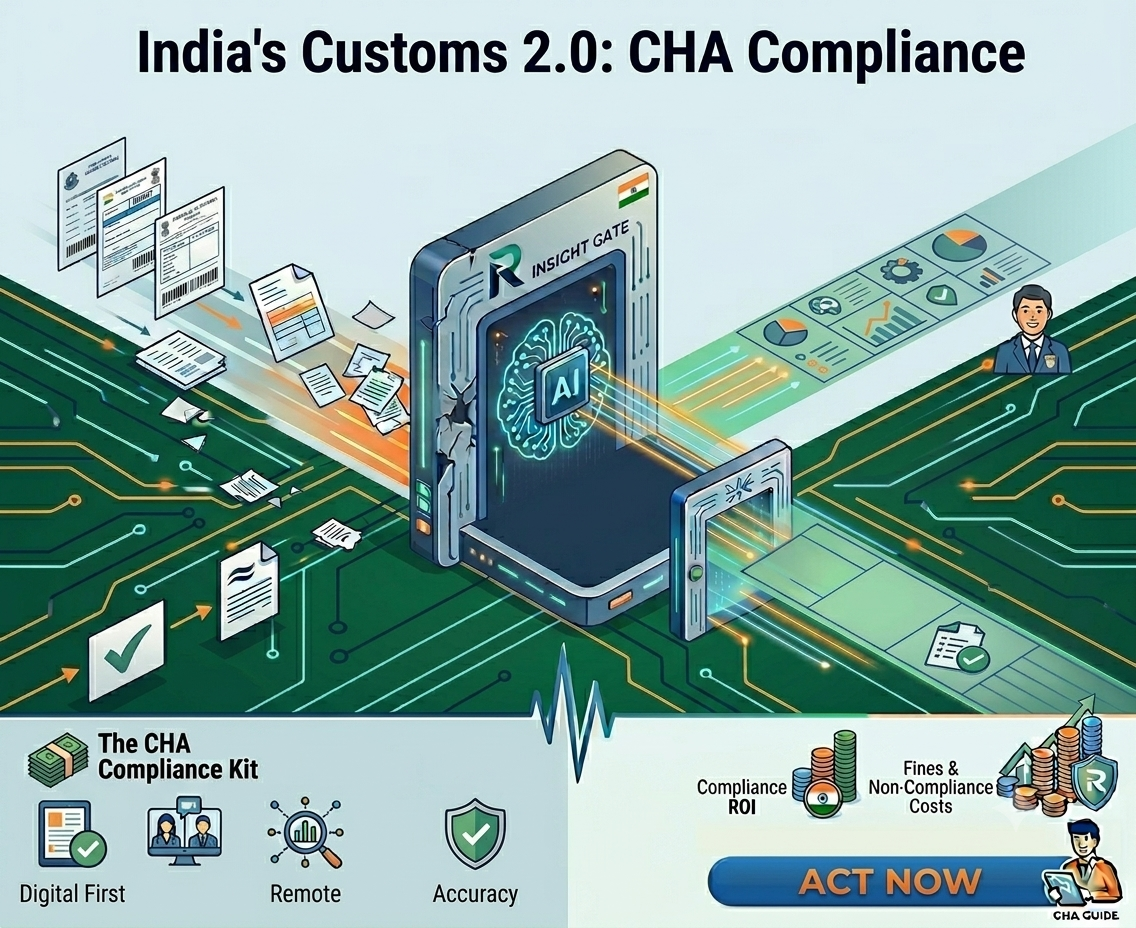
The Central Board of Indirect Taxes and Customs (CBIC) has been rolling out what the industry calls “Customs 2.0” — a series of circulars, system upgrades, and policy changes that are fundamentally reshaping how customs clearance works in India. The goal: a fully contactless, faceless, and paperless customs ecosystem. The timeline: now.

CBIC Circular No. 06/2026-Customs, issued in February 2026, was the landmark directive. It introduced Auto Goods Registration for imports, expanded the Auto Out of Charge (OOC) facility to all eligible importers, and launched Auto Let Export Order (LEO) for facilitated shipping bills. In March, Circular 13/2026 enabled customs duty payments via UPI, debit cards, and credit cards on ICEGATE. In April, Circular 18/2026 extended faceless assessment to SEZ-to-DTA clearances.

The message from CBIC is unmistakable: if your clearing house agent operations still depend on manual document processing, manual data entry, and physical interactions with officers, you are already behind.

Here’s what has changed, what it means for your operations, and what you need to do about it.

What Customs 2.0 Actually Means for Clearing House Agents?

Customs 2.0 isn’t a single regulation. It’s an umbrella term for the cumulative impact of CBIC’s digitization push over the past two years, accelerating sharply in early 2026. For clearing house agents, the practical implications fall into five areas:

1. Auto goods registration replaces manual registration

Previously, goods registration required web-based or manual intervention by customs officers after cargo arrived at port. Under the new framework, imported cargo is automatically registered in the ICEGATE system upon arrival. For clearing house agents, this means the window between vessel arrival and filing readiness has shrunk dramatically. Your Bill of Entry data must be accurate and ready before the cargo hits port, not later.

2. Faceless assessment is the default, and CBIC is cracking down on delays

Faceless assessment, in which an officer assesses a Bill of Entry at any location in India rather than at the port of import, has been expanding steadily. In a few months, it will cover virtually all import categories, including SEZ-to-DTA clearances. CBIC has also limited assessing officers to a maximum of three queries per Bill of Entry, and is actively monitoring for frivolous or piecemeal questioning.

What this means for CHAs: your data has to be right the first time. If the faceless assessing officer raises a query because your HS Code is ambiguous, your INCOTERMS don’t match, or your supporting documents are incomplete, you are looking at 24 to 72 hours of additional delay. With CBIC capping queries, there’s no room for back-and-forth corrections.

3. e-SANCHIT document uploads are now non-negotiable

Every supporting document for a Bill of Entry, commercial invoices, packing lists, certificates of origin, insurance certificates, and Bills of Lading must be uploaded to e-SANCHIT in PDF format, no more than 1 MB, with proper naming conventions. The faceless assessing officer reviews documents entirely through e-SANCHIT. If your documents aren’t there or aren’t properly formatted, the assessment stalls.

For a clearing house agent handling 50-100 shipments per month, each with 15-20 supporting documents, that’s 750 to 2,000 individual document uploads per month, all requiring the right format, naming, and content. Manual handling of this volume is a bottleneck that directly impacts clearance time.

4. Auto OOC and Auto LEO reward accuracy, punish errors

Auto Out of Charge (for imports) and Auto Let Export Order (for exports) are now available for compliant shipments. If your duties are paid, your documents are complete on e-SANCHIT, and the Risk Management System (RMS) doesn’t flag the shipment, clearance happens automatically — sometimes within hours of cargo arrival.

But the flip side is equally important: if your data triggers an RMS flag due to an ambiguous HS Code, a mismatch between declared and actual values, or incomplete documentation; you lose the automated pathway entirely. Your shipment goes to manual examination, which can add days to clearance.

5. Digital payments close the last manual loop

As of March 2026, customs duty payments can now be made via UPI, debit cards, and credit cards through the ICEGATE Payment Aggregator. With ICICI Bank, SBI, IOB, and HDFC Bank onboarded as payment aggregators, the final manual step, i.e., visiting a bank branch or initiating a manual NEFT/RTGS transfer, is eliminated.

For clearing house agents, this means the entire chain from filing to payment to clearance can now happen digitally, end to end. But it also means there’s no manual step left to “catch” upstream errors. Data accuracy at the filing stage is the only safeguard.

The Real Problem: Your Data Entry Process Hasn’t Kept Up

Here’s the disconnect most clearing house agents are facing right now:

The customs system has gone fully digital, automated, and optimized for speed. But the process of getting data INTO that system — reading Bills of Lading, extracting fields from commercial invoices, classifying HS Codes, preparing e-SANCHIT uploads — is still largely manual.

A typical clearing house agent operation in India still looks like this:

  • 8+ staff members manually reading documents from 100+ different shipping lines
  • 4 hours per shipment spent typing 70-80 fields into customs software
  • Each shipping line uses a different B/L format — Maersk, MSC, CMA CGM, Hapag-Lloyd all look different
  • HS Code classification done manually across thousands of tariff categories
  • e-SANCHIT uploads done one document at a time — scan, format, rename, upload

The annual cost of this manual process? Roughly ₹19.2 lakhs per year for a mid-sized CHA operation (8 staff × ₹20,000/month × 12 months). That’s before you factor in the cost of errors: HS Code misclassifications that trigger holds, incorrect data that generates queries, and delayed clearances that frustrate clients.

Customs 2.0 has made the system faster. But if your data entry is still slow and error-prone, you’re feeding bad data into a fast system — and paying for it with delays, fines, and lost clients.

What Every Clearing House Agent Must Do Now: A 7-point Action Plan

Whether your operation handles 50 shipments a month or 500, these seven steps will determine whether Customs 2.0 works for you or against you:

  1. Audit your ICEGATE 2.0 registration. Ensure all CHA licenses, IEC codes, and authorized signatories are updated on the ICEGATE portal. Verify that your Digital Signature Certificates (DSCs) are current and working. ICEGATE has migrated to a PAN-based registration system — confirm your PAN mapping is correct.
  2. Digitize your document ingestion. Stop relying on physical couriers and walk-in documents as the primary channel. Set up dedicated email inboxes for exporters and shipping lines to send documents directly. Every digital document you receive is one you don’t have to scan.
  3. Automate your data extraction. This is the highest-impact change you can make. AI-powered document processing tools can now read Bills of Lading, commercial invoices, packing lists, and certificates of origin from any shipping line, any format — and extract 70-80 fields in seconds instead of hours. The technology has moved beyond template-based OCR to LLM-native extraction that works on unseen formats from Day 1.
  4. Validate HS Codes before filing. With faceless assessment officers limited to three queries per Bill of Entry, an ambiguous or incorrect HS Code is the fastest way to trigger a delay. Implement automated HS Code validation against India’s 12-digit customs tariff schedule before your staff files the Bill of Entry. Catch errors upstream, not at the assessing officer’s desk.
  5. Streamline your e-SANCHIT workflow. Batch-prepare your supporting documents for e-SANCHIT. Ensure every document meets the format requirements (PDF, under 1 MB, correct naming). If you’re still uploading documents one by one manually, explore tools that auto-format and batch-upload.
  6. Train your team on review, not data entry. Your staff’s role is shifting. Under Customs 2.0, the value your team adds is in compliance verification, exception handling, and quality review — not in copying text from PDFs into forms. Invest in training your reviewers to catch HS Code mismatches, INCOTERMS inconsistencies, and document gaps rather than spending their days typing.
  7. Track your clearance metrics. Measure your average clearance time, query rate, and RMS flag rate per client. Customs 2.0 rewards compliance with faster automated clearance. If your metrics show a high query rate or frequent RMS flags, that’s a data quality problem you need to fix upstream — before it damages your client relationships and AEO eligibility.

The Window of Advantage Is Closing

Right now, there’s a gap in the market. The CBIC system is ready for fully digital, automated clearance. Most clearing house agents are not. The CHAs that move first — automating their document processing, fixing their data quality, and adapting their workflows to Customs 2.0 — will clear shipments faster, serve clients better, and operate at significantly lower cost.

The CHAs that wait will find themselves stuck in an increasingly unforgiving system where manual data entry triggers delays that automated competitors avoid.

The math is straightforward: ₹19.2 lakhs per year on manual data entry versus roughly ₹15 lakhs per year with AI-powered automation — and the automated operation clears shipments in 30 seconds instead of 4 hours. Payback happens in under 10 months.

Are You Customs 2.0 Ready? Check now.

We’ve created a 15-point Customs 2.0 Readiness Checklist specifically for clearing house agents. It covers ICEGATE registration, document digitization, HS Code validation, e-SANCHIT compliance, staffing readiness, and system integration — everything you need to assess where you stand today.

Download the Customs 2.0 Readiness Checklist

If you’re looking to automate your CHA document processing, Readerr.io’s AI-powered platform extracts data from any B/L, invoice, or customs document — from any shipping line, any format — and delivers ICEGATE-ready structured data to your customs software in 30 seconds. Zero templates. 95%+ accuracy.

See how it works: Book a free demo

Frequently asked questions

Customs 2.0 refers to CBIC’s comprehensive push toward fully contactless, faceless, and paperless customs clearance in India. It encompasses Auto Goods Registration, faceless assessment, Auto Out of Charge, Auto Let Export Order, mandatory e-SANCHIT document uploads, and digital duty payments via ICEGATE. The framework accelerated in early 2026 with Circular 06/2026-Customs.

Yes. The changes apply to all import and export clearances processed through ICEGATE. Clearing house agents, customs brokers, and freight forwarders must comply with digital filing requirements, e-SANCHIT document uploads, and the new automated clearance procedures. There is no opt-out.

Under faceless assessment, the assessing officer reviews documents entirely through e-SANCHIT. If supporting documents are missing, improperly formatted, or incomplete, the officer will raise a query — which adds 24-72 hours to clearance time. With CBIC limiting queries to three per Bill of Entry, incomplete documentation can stall clearance significantly.

Introduced via Circular 06/2026-Customs, Auto Goods Registration means imported cargo is now registered automatically by the ICEGATE system upon arrival at port. This replaces the previous web-based or manual registration process and reduces the time between vessel arrival and clearance initiation.

AI-powered document processing tools can extract data from Bills of Lading, commercial invoices, packing lists, and other trade documents in seconds — from any shipping line format, without templates. This reduces the 4-hour manual data entry process to 30 seconds of review, improves HS Code accuracy, and ensures e-SANCHIT documents are properly formatted before filing.

CHA Automation: How to Go from 4 Hours to 30 Seconds Per Shipment 

Four hours. That’s how long the average clearing house agent operation spends processing a single shipment’s documents. Reading the Bill of Lading. Typing the consignee, shipper, notify party, port of loading, port of discharge, vessel name, voyage number, container numbers, seal numbers, HS codes, weights, and package count into the customs software. Then, do the same for the commercial invoice. And the packing list. And the certificate of origin. 

70 to 80 fields per shipment. Typed manually. By 8 or more staff members. Every single day. 

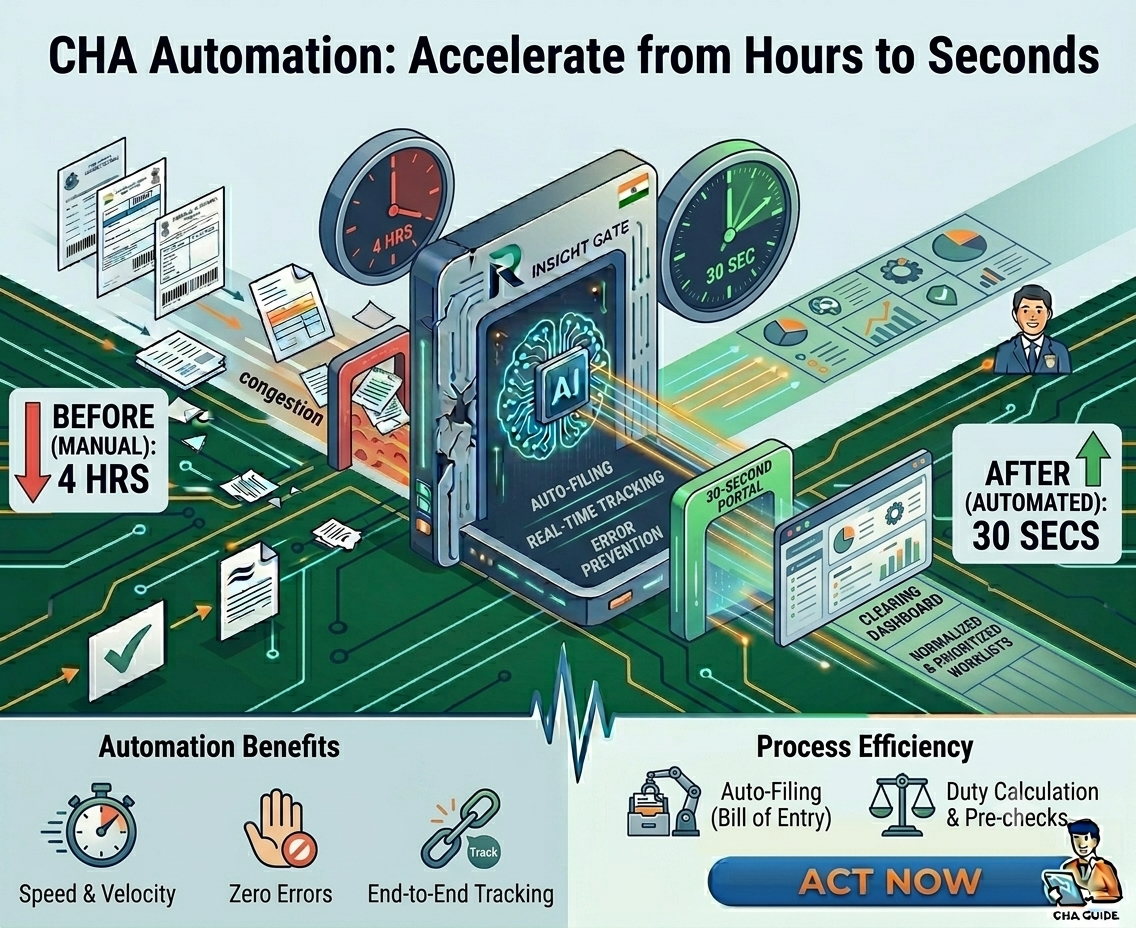
With AI-powered CHA automation, that 4-hour process takes 30 seconds. 

Not 30 seconds of extraction with an hour of cleanup. Not 30 seconds with template configuration overhead. Thirty seconds from raw PDF to validated, ICEGATE-ready structured data sitting in your customs software, ready for filing. 

This post walks through exactly how that works — step by step — and why the technology behind it is fundamentally different from the OCR tools you may have tried (and abandoned) before. 

The 4-Hour Reality: Where Your Time Actually Goes 

Before we get into the solution, let’s be honest about the problem. Here’s where those 4 hours go for a typical import shipment: 

Document collection (30-45 min): Gathering the B/L, commercial invoice, packing list, certificate of origin, and insurance certificate from the exporter, shipping line, and freight agent. These arrive via email, WhatsApp, courier, or walk-in — rarely in one batch, rarely in the same format. 

Reading and data entry (90-120 min): Your staff opens each document, reads it, and manually types 70-80 fields into your customs software — Logi-Sys, Cha365cloud, ImpexCube, or whatever system you use. Every shipping line uses a different B/L layout. Maersk looks different from MSC looks different from CMA CGM. Your team has to figure out where each field is, every time. 

HS Code classification (20-30 min): Manually classifying goods against India’s 12-digit customs tariff. Thousands of product categories. One wrong digit can mean the difference between 5% duty and 15% duty — or trigger a customs hold entirely. 

Cross-checking (15-20 min): Verifying that the weights on the B/L match the packing list, that the values on the invoice match the INCOTERMS, that container numbers are consistent across documents. Errors here surface as queries from the faceless assessing officer. 

e-SANCHIT preparation (30-45 min): Scanning, formatting, renaming, and uploading 15-20 supporting documents to e-SANCHIT. Each document must be PDF, under 1 MB, with correct naming conventions. This is the most tedious part of the entire process. 

Total: roughly 4 hours of human effort per shipment. Multiply by 20-50 shipments per day across your team, and you start to see why CHA operations need 8+ staff just for data entry. 

The annual cost? ₹19.2 lakhs (₹20,000/month × 8 staff × 12 months). And that’s before error-related costs: HS Code penalties, customs holds, delayed clearances, and lost clients. 

Not Sure Where Your Biggest Bottleneck Is?

Our 15-point Customs 2.0 Readiness Checklist helps you identify exactly where your CHA operation is losing time. 

Download the Free Customs Checklist

The 30-second version: how CHA automation actually works 

CHA automation doesn’t mean replacing your customs software. It means eliminating the data entry bottleneck that sits before it. Readerr.io sits between your incoming documents and your customs ERP — extracting, validating, and structuring the data so your team reviews in seconds instead of typing for hours. 

Here’s the 6-step workflow: 

Step 1: Documents arrive — and are captured automatically 

Set up a dedicated email inbox. When an exporter or shipping line sends documents, Readerr.io’s email agent automatically picks up the attachments and routes them to the processing queue. No downloading, no saving to folders, no manual uploading. Walk-in physical documents can be scanned or photographed with a mobile camera and uploaded in seconds. 

Step 2: AI reads every document — from any shipping line, any format 

This is where the magic happens. Readerr.io’s LLM (Large Language Model) reads each document the way a human would — understanding context, not just scanning pixels. It identifies the shipping line by logo and layout, loads format-specific memory from the Vendor Memory System, and extracts all 70-80 fields in one pass. 

The critical difference from traditional OCR: no templates. When a B/L format changes, or a new shipping line appears, the AI handles it on first encounter. No configuration. No training samples. No waiting for someone to build a template. 

Step 3: Data is validated against customs rules — automatically 

Before any human sees the extracted data, Readerr.io validates it: HS Codes checked against India’s 12-digit customs tariff. Weights cross-referenced between B/L and packing list. INCOTERMS verified. Mandatory ICEGATE fields confirmed. Duplicate shipment detection run. 

High-confidence fields are auto-approved. Low-confidence fields — an ambiguous HS Code, a weight mismatch, a missing port code — are flagged in yellow for your reviewer. 

Step 4: Your team reviews — not types 

Your reviewer sees all extracted data displayed next to the original PDF. Click any field — consignee name, container number, HS Code — and the exact source location on the PDF is highlighted with a bounding box. Verify in seconds. Correct with a click. 

Every correction feeds back into the Vendor Memory System. Next time a document from the same shipping line arrives, the field that was corrected will extract correctly — automatically. 

Step 5: Structured data flows into your customs software 

Validated JSON data is pushed via API directly into your customs ERP — Logi-Sys, Cha365cloud, ImpexCube, CargoNet, or any system. All 70+ fields arrive pre-filled. Supporting documents are automatically formatted to e-SANCHIT specs: PDF, under 1 MB, correct naming. 

Step 6: You file on ICEGATE — with zero manual entry upstream 

Your customs software files the Bill of Entry or Shipping Bill on ICEGATE 2.0 using Readerr.io’s pre-validated data. DSC signing and submission follow your existing workflow. The difference: every field was extracted, validated, and delivered by AI. Your team signed off in 30 seconds. 

Want to See This Workflow on Your Actual Documents?

Book a 30-minute demo, and we’ll extract data from your real B/Ls and invoices — live. 

Start Now

Why the OCR Tool You Tried Before Didn’t Work and Why This Is Different 

If you’ve tried OCR or document processing software before and abandoned it, you’re not alone. Most clearing house agents have. Here’s why those tools failed, and why AI-powered CHA automation is fundamentally different: 

The template trap 

Traditional OCR tools are template-based. You need to build a template for every document layout — define where the consignee field is, where the port of loading sits, where the container table starts. With 100+ shipping lines, that’s 100+ templates to build. When Maersk updates their B/L layout (which happens), the template breaks and extraction stops until someone rebuilds it. 

Readerr.io doesn’t use templates. Ever. The LLM understands document structure contextually. It finds fields by meaning, not by pixel position. A B/L format it has never seen before extracts just as well as one it’s processed a thousand times. 

The accuracy plateau 

Template OCR typically hits 70-85% accuracy and stays there. The remaining 15-30% of fields need manual correction, which often takes as long as typing the whole thing manually. Net time saved: close to zero. 

Readerr.io’s Vendor Memory System and Self-Optimizing Prompt Loop push accuracy above 95% per vendor and keep climbing. The 2nd document from the same shipping line extracts near-perfectly. The 50th is virtually flawless. Every correction your reviewer makes trains the system automatically — no engineering intervention, no downtime for retraining. 

The black box problem 

Most OCR tools give you extracted data with no way to verify where it came from. In customs, where every field is auditable and a single error can trigger a hold, this is unacceptable. 

Readerr.io’s Visual Human-in-the-Loop shows you exactly where each field was extracted from. Click “consignee” and the source text on the PDF highlights. Click “HS Code” and you see the exact cell in the cargo description table. Every extraction is traceable, auditable, and defensible. 

The ROI math: what CHA automation actually saves you 

Before CHA automation 

  • 8 staff × 4 hours/day on manual document data entry 
  • Average salary: ₹20,000/month per staff member 
  • Annual cost: ₹19.2 lakhs/year 
  • Plus: rework from HS Code errors, customs holds, delayed clearances, lost clients 

After CHA automation 

  • 1 reviewer spending ~2 hours/day on verification and exception handling 
  • 30 seconds per shipment instead of 4 hours 
  • Readerr.io subscription: ~₹15 lakhs/year (all-inclusive, mid-market CHA) 
  • Near-zero HS Code errors — validated against 12-digit tariff before filing 

Net savings: ₹15-17 lakhs per year. Payback period: under 10 months. 

But the savings aren’t just financial. Your team gets 4 hours back per shipment. Those hours go to client relationship management, compliance review, business development, and the high-value work that actually grows your clearing house operation. 

What to look for in a CHA automation solution 

If you are evaluating CHA automation tools, here are the five non-negotiables for Indian customs operations: 

1. Template-free extraction. If the vendor asks you to “build templates” or “provide training samples,” you’ll spend months configuring and maintaining. Look for LLM-native extraction that works on unseen formats from Day 1. 

2. Vendor Memory. The system should get smarter with every document. Ask: “Does accuracy improve per vendor over time?” If the answer involves manual retraining, it’s not real vendor memory. 

3. HS Code validation for India. Not generic classification — validation against India’s 12-digit customs tariff schedule. Global IDP tools won’t have this. It’s a build-or-don’t differentiator. 

4. ICEGATE / e-SANCHIT native output. Your extracted data should map directly to ICEGATE 2.0 fields. Your supporting documents should be auto-formatted for e-SANCHIT specs. If you’re still manually formatting uploads after extraction, the automation is incomplete. 

5. Integration with your customs ERP. Not “we have an API” — actual connectors for Logi-Sys, Cha365cloud, ImpexCube, or whatever system your operation runs on. Ask for a live integration demo, not a slide deck. 

Ready to Become 4 Hours 30 Seconds?

We’ll process 500 of your real shipment documents, including B/Ls, invoices, packing lists from your actual shipping lines, and deliver an accuracy benchmark report at the end. Zero cost. Zero commitment. 

Schedule a Demo Now

Frequently Asked Questions

CHA automation uses AI to extract data from Bills of Lading, commercial invoices, packing lists, and other trade documents — and deliver validated, structured data to your customs filing software. It replaces the manual data entry workflow that clearing house agents perform for every shipment. 

Most clearing house agents process live documents within 7 days. Pre-trained AI models for customs document types mean no lengthy training. Integration with your customs software, inbox setup, and team onboarding happen in the first week. 

No. CHA automation sits before your customs ERP — Logi-Sys, Cha365cloud, ImpexCube, or any system. It extracts and validates the data, then pushes it into your existing software. Your filing workflow, DSC signing, and ICEGATE submission stay unchanged. 

Nothing changes on your end. Readerr.io’s LLM reads documents contextually, not by template position. A format change that would break traditional OCR is handled automatically without any configuration or downtime. 

AI-powered automation improves AEO eligibility and retention by systematically increasing data accuracy across every filing. HS Code cross-referencing, cross-document validation, and mandatory field completeness checks reduce the error rate that triggers RMS flags and assessment queries. Over time, this improves your compliance scores, lowers examination rates, and strengthens your AEO T2/T3 status — which provides faster clearance, fewer examinations, and direct port delivery privileges that your premium clients value. 

Get In Touch

Get In Touch

We'd love to hear from you. Fill out the form below and our team will get back to you.

Contact Us
First
Last
Get In Touch